
Monitor, Analyze.
See User Activity on all platforms.
See User Activity on all platforms.
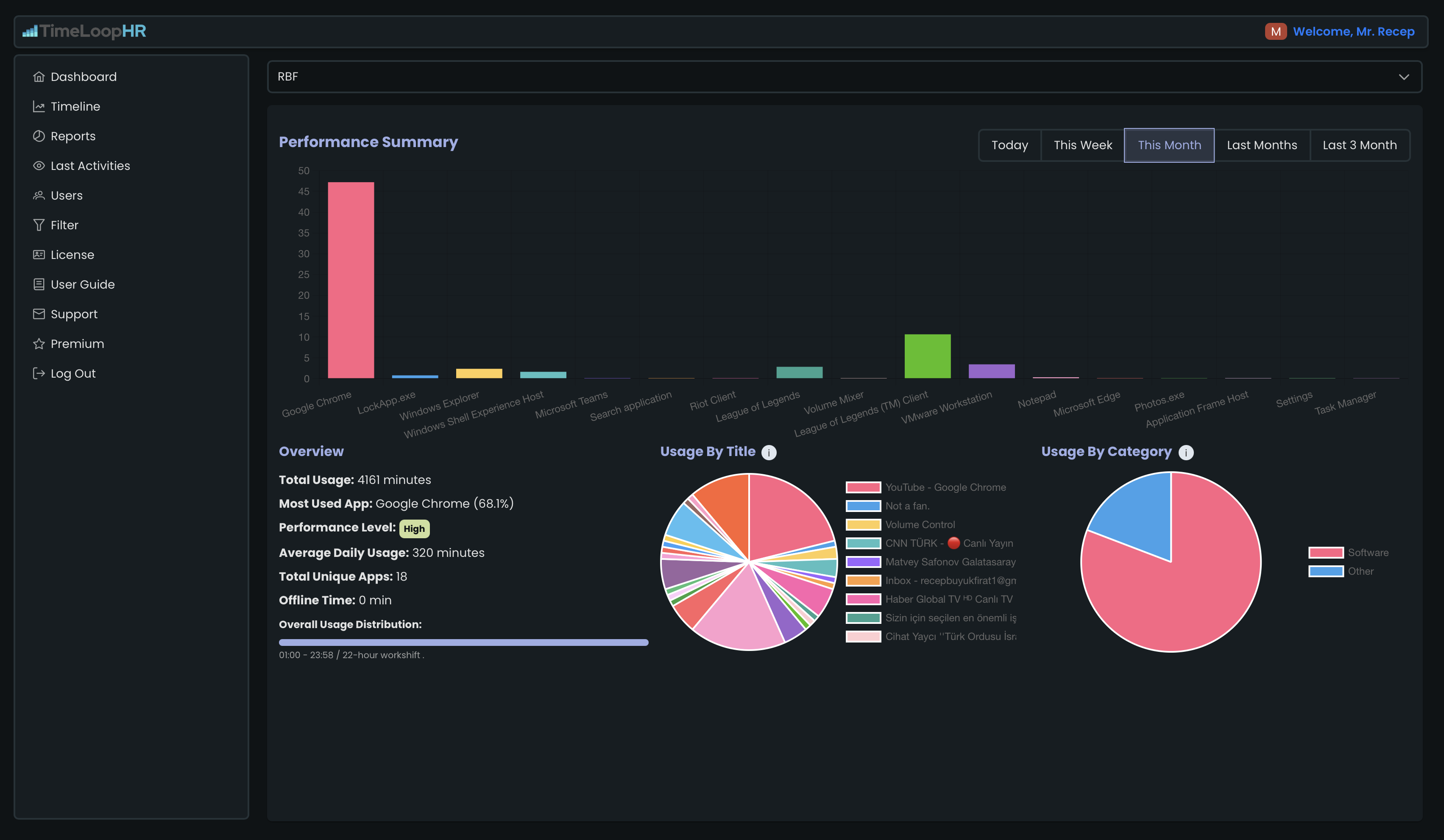
Real-Time Monitoring
Track and analyze user activity in real-time, with comprehensive reports on every action taken.
Privacy Focused
Data is securely encrypted, ensuring all user information is protected while being tracked.
Actionable Insights
Understand system performance and user behavior to improve productivity and system health.
Cross-App Tracking
Monitor activity across multiple apps and services, allowing for in-depth user behavior analysis.
Cloud Reporting
Access your data anytime, anywhere with cloud-based reporting and insights.
Secure Analysis
Your data is analyzed securely, ensuring full compliance with privacy regulations.
Advanced Reporting
Break activity down by employee, application and time range with daily, hourly and timeline views.
Title Redaction
Turn off window title capture per account, so only the application name is recorded.
About WorkLens
WorkLens is a cutting-edge platform designed to help organizations monitor and optimize productivity. With real-time tracking, insightful analytics, and robust privacy measures, WorkLens empowers teams to work smarter and achieve more.
Our mission is to provide tools that enhance workplace efficiency while respecting user privacy and data security. Join thousands of professionals who trust WorkLens to streamline their operations.
Mert K.
IT Manager, NovaTech
Track smarter. Optimize better.
Built for professionals and teams who want to gain meaningful insight into user activity without sacrificing performance. WorkLens runs quietly in the background on macOS, Windows and Linux.
- Offline QueueCloud SyncIdle & Lock DetectionSession ReportingApp CategoriesTitle RedactionActivity TimelineApproval WorkflowCross-Platform
Trusted by professionals
Mert Kaya
IT Manager, NovaTech
Elif Yıldız
Senior macOS Developer
Ahmet Demir
Co-founder, Opsly
Simple Pricing for Every Team
Free
Starter
Pro
VAT may be applicable depending on your location.
Frequently Asked Questions
- Which platforms does WorkLens support?
- WorkLens runs on macOS (Intel and Apple Silicon), Windows and Linux. Installers are available as .dmg, .exe/.appx and .deb/.snap.
- Does WorkLens work offline?
- Yes. If a device goes offline, activity is written to a local queue and synced automatically once the connection returns. Reporting is cloud-based, so data appears in the dashboard after it syncs.
- What kind of data does WorkLens collect?
- WorkLens tracks application usage, session durations and activity timestamps. Where the operating system grants permission, the active window title and browser URL are also recorded — administrators can turn this off, in which case those fields are redacted. It does not record keystrokes, screenshots or file contents.
- How is the data protected?
- Activity data is transferred to our servers over HTTPS, which is enforced server-side. Access to reports requires an authenticated administrator session. While a device is offline, pending activity is held in a local queue on that device until it syncs.
- Is there a device limit?
- The Free plan is intended for a single device. Paid plans cover more devices with centralized reporting.
- What permissions does WorkLens need?
- On macOS the app requests Accessibility and Screen Recording permissions so it can read the active application and window title. On Windows and Linux it installs and runs without additional system permissions.
- Is my usage data ever shared?
- Never. We do not sell or share your data with third parties. Activity data belongs to your organization and is only visible to your administrators.